Desk Decor Accessories for Style, Organization, and Workspace Fit
Desk decor accessories are category-level workspace items that shape how a desk looks, how daily objects stay organized, and how much usable surface remains for work. They support a desk setup when their function, visual role, and footprint fit the way the space is actually used.
A useful desk accessory should do more than add decoration. It may group small items, define a work area, soften the visual appearance of the desk, or make frequently used objects easier to reach, but its value depends on desk size, work habits, and the amount of open space needed.
This page treats desk decor accessories as decision-support choices, not as a product catalog. For visual starting points before deeper criteria, see these desk decor accessory ideas.
The right direction is to judge each accessory by style-function balance, space fit, and clutter impact before considering specific options. That keeps decorative desk accessories subordinate to the larger goal: a desk setup that can look intentional while still remaining practical for daily use.
What Counts as Desk Decor Accessories
Desk decor accessories are items used on or around a desk to improve appearance, organization, comfort, or practical use within a desk setup. The category includes objects that directly affect the desk surface or immediate workspace area rather than office furniture or full-room decor.
Desk decor accessories can be decorative, functional, or both depending on how they contribute to a desk setup. An organizer, tray, holder, desk mat, lamp, plant, decorative accent, stand, or charger may fall into this category when it supports the appearance, usability, or organization of the workspace.
The examples below show common items that are typically included as desk decor accessories.
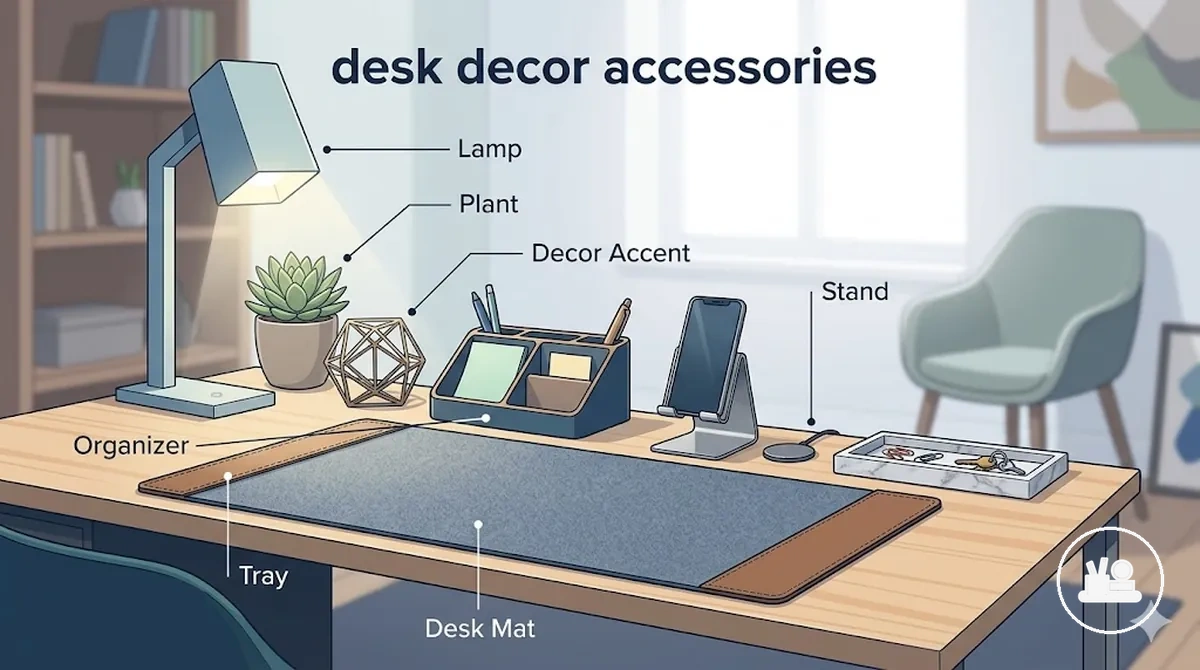
- Organizer units used to arrange everyday desk items
- Trays and holders that help contain small accessories
- Desk mats that define the work surface
- Lamps that may support task-focused lighting at the desk
- Plants that add a decorative element to the immediate workspace
- Decorative accents and framed items displayed on the desk
- Stands and chargers used for device placement or charging convenience
Main Types of Desk Decor Accessories
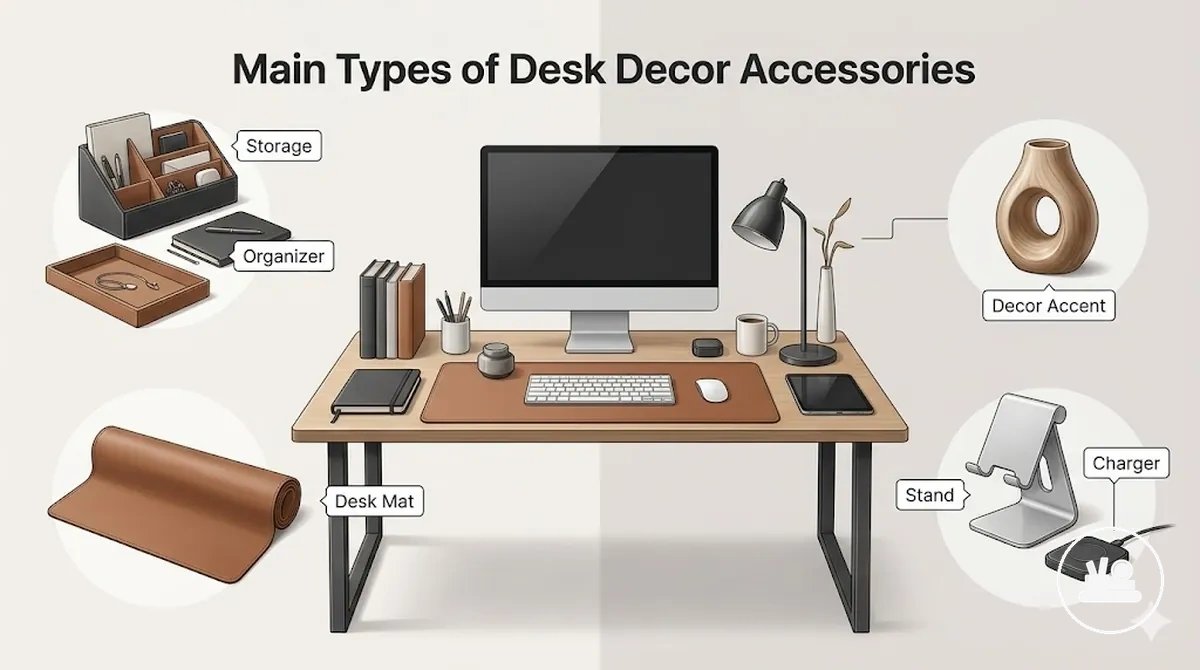
The main types of desk decor accessories fall into storage, surface, decorative, and functional groups. An organizer or tray supports item management, a desk mat defines the work surface, a decorative accent contributes visual character, and a stand, charger, or functional add-on supports workspace usability.
These subtype groups help clarify purpose, typical desk role, and fit concern before evaluating style, space use, or value. Functional, decorative, storage, and surface roles may overlap in some setups, but role-based grouping makes comparison easier. For a deeper classification, see the types of desk decor accessories.
| Accessory type | Main purpose | Typical desk role | Common fit concern |
|---|---|---|---|
| Organizer or tray | Groups everyday items | Storage and organization | May reduce available work area |
| Desk mat | Defines the desk surface | Surface management | Size may affect desk layout |
| Decorative accent | Adds visual character | Decorative focus | May contribute to visual clutter |
| Stand, charger, or functional add-on | Supports device use | Functional support | Fit depends on desk setup and device needs |
Desk Organizers, Trays, and Storage Pieces
A desk organizer, tray, or storage piece serves as the local grouping layer for small desk items and helps define where frequently used objects belong. These accessories earn desk space when their footprint supports surface clarity by keeping related items together instead of allowing them to spread across the work area.
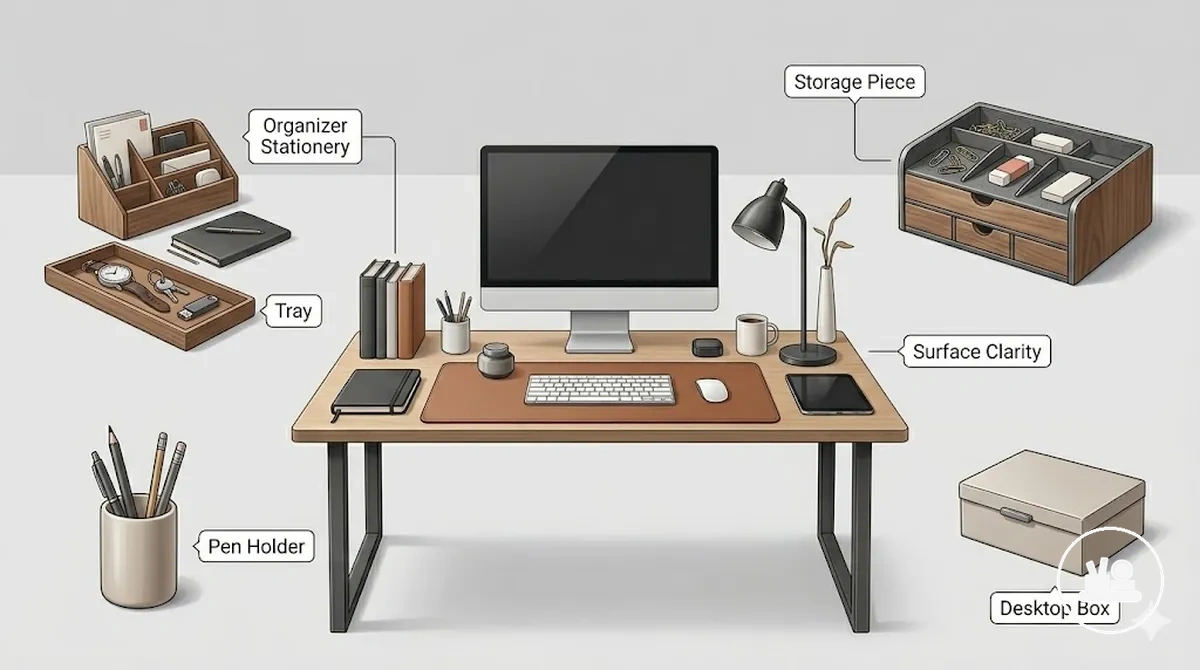
- Tray: Stores loose daily-use objects such as notes, keys, or small accessories. A shallow footprint supports visible grouping and quick access.
- Pen holder: Stores writing tools in a vertical format. A compact footprint may preserve more usable desk surface while keeping frequently used items within reach.
- Desktop box: Stores items that do not require constant visibility. A larger footprint can improve grouping when small objects would otherwise remain scattered.
- Desk organizer: Separates multiple item types into dedicated sections. The organization outcome depends on whether the stored objects are used often enough to justify the occupied space.
- Storage piece: Groups related accessories in one location. Surface clarity may improve when the storage piece organizes active items rather than simply collecting clutter.
Desk Mats, Pads, and Surface Accessories
A desk mat, desk pad, or surface accessory defines the work area by creating a dedicated layer between the desk surface and everyday objects. Size, texture, material, edge shape, and color influence how the surface feels and appears, while any comfort, protection, or visual effect depends on workspace habits and available surface area.
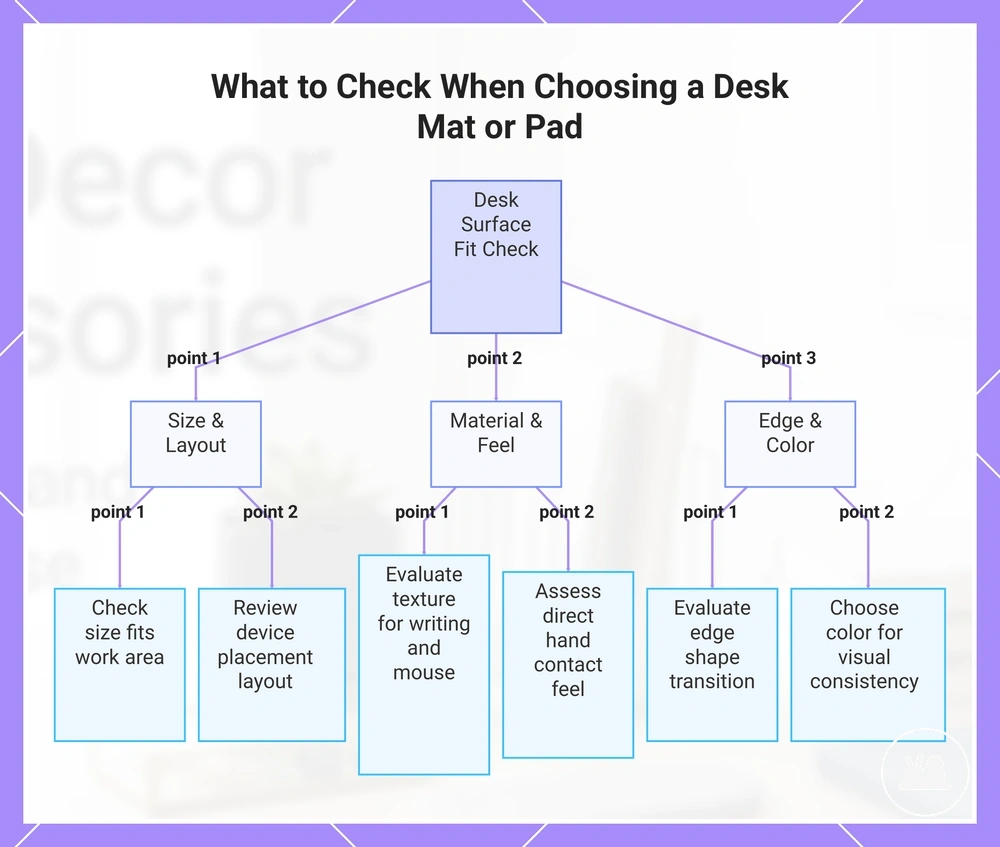
The checklist below helps verify whether a surface accessory fits the intended setup. Value depends on writing habits, mouse use, laptop placement, device placement, and the amount of open desk space available.
- Check whether the desk mat or desk pad size fits the intended work area without limiting access to frequently used items.
- Consider texture and material feel based on writing activity, mouse movement, and direct hand contact.
- Review device placement to confirm that the surface accessory supports the planned desk layout.
- Evaluate edge shape for the desired transition between the accessory and the surrounding desk surface.
- Choose a color that supports visual consistency with nearby workspace elements.
This chart organizes the main verification points for desk mat or pad fit: space, material, edge, and color.
Lamps, Plants, Frames, and Decorative Accents
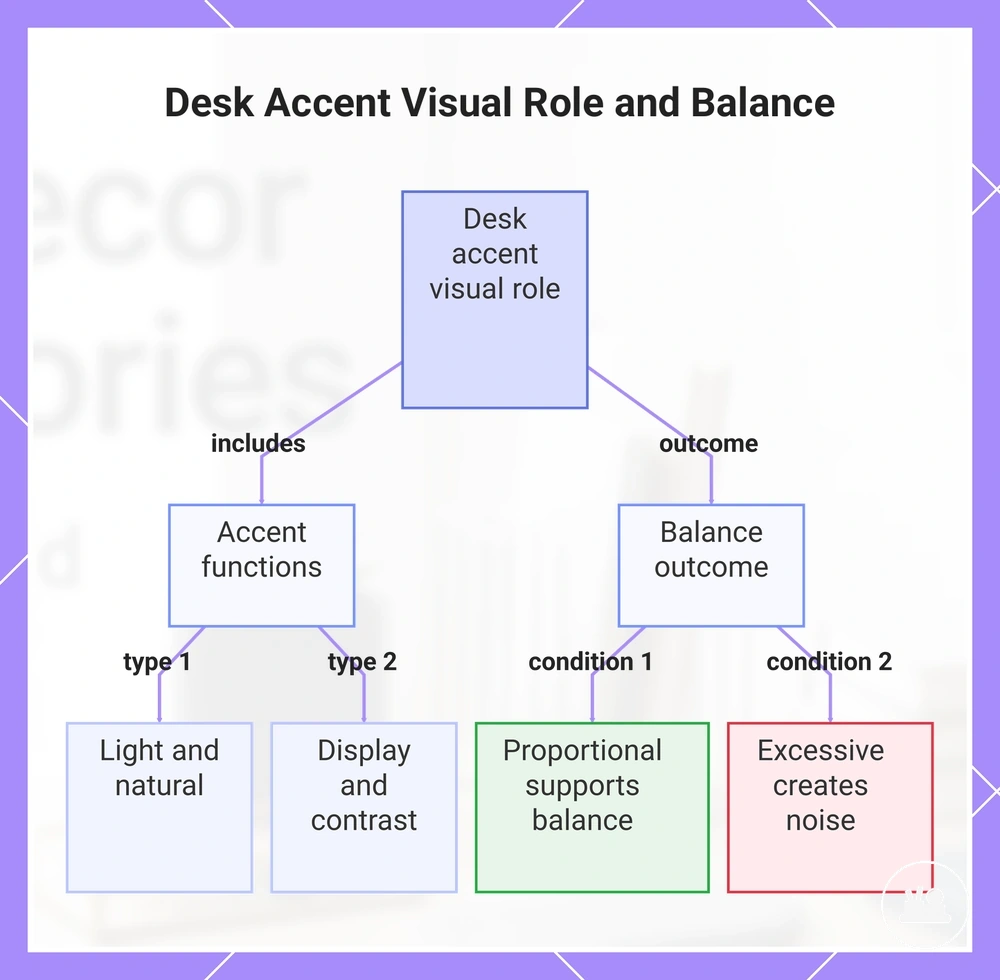
A lamp, plant, frame, or decorative accent serves a visual role within the desk setup by adding light, color, texture, height, or a natural element while preserving the active work zone. These accents contribute to visual balance when they remain proportional to the workspace, while excessive brightness, size, or quantity may increase distraction risk or create visual noise.
- Light role: Light from a lamp adds visual structure and can influence atmosphere when glare remains controlled.
- Natural role: A natural element such as a plant introduces texture and color that can soften the appearance of the desk area.
- Display role: A frame adds height and visual context, but a prominent position may compete with work-focused elements.
- Balance role: A decorative accent can add color contrast, texture, or height that supports visual balance without crowding the active work zone.
- Visual contrast: Supportive accents reinforce visual balance and leave working space clear, while crowded accents or competing focal points may create visual noise.
This chart shows the types of desk accents and how their proportion affects visual balance or creates noise.
Stands, Chargers, and Functional Add-ons
A stand, charger, or functional add-on addresses device placement, charging, or reachability needs while influencing how the desk setup looks and functions. Compatibility and safe use depend on the device, cable routing, available power setup, and whether the accessory fits the intended position within the workspace.
- Stand: Supports device placement by positioning a device for easier reachability. Usability depends on device fit and the available desk area.
- Charger: Creates a dedicated charging point within the desk setup. Placement may improve usability when the charger remains accessible and aligned with the intended cable path.
- Cable helper: Guides cable routing so connections remain easier to access. The clutter outcome depends on the number of devices and how cables are routed across the desk.
- Docking piece: Brings related device connections into one location. Compatibility, usability, and safe use depend on the device, cable routing, and available power setup.
This chart shows the main types of desk accessories and their primary functions and dependencies.
Functional and Decorative Desk Accessory Balance
Functional value and decorative value involve a trade-off, but they are not mutually exclusive because a desk accessory can contribute usefulness and visual fit at the same time. The better choice depends on the desk role the accessory performs and whether it justifies the space it occupies.
A function-first accessory earns space when it solves a clear placement, organization, charging, or reachability need. A decor-first accessory earns space when its visual contribution has a reason and supports the desk setup without creating unnecessary clutter risk.
A hybrid accessory combines functional value and decorative value in one item, which may reduce the need to choose between appearance and usefulness. For a closer comparison of functional and decorative desk accessories, evaluate whether the accessory provides a meaningful decision signal beyond appearance alone while maintaining visual fit.
| Accessory role | Main value | Risk if overused | Best fit condition |
|---|---|---|---|
| Function-first | Usefulness and task support | Reduced visual fit or a heavier visual presence | When the desk role addresses a recurring workspace need |
| Decor-first | Decorative value and visual character | Higher clutter risk if the desk becomes crowded | When the visual contribution has a clear purpose |
| Hybrid accessory | Combined functional value and decorative value | Compromise if neither role is adequately supported | When appearance and usefulness are both important |
Style and Material Fit for Desk Accessories
Style fit depends on evaluating material and visual design together because material, finish, color, texture, and shape collectively influence cohesion, maintenance expectations, and perceived quality. An accessory may create a mismatch risk when these attributes conflict with the surrounding workspace, even if the accessory serves its intended purpose.
Material and style should be judged within the actual workspace condition rather than as separate decisions. A smooth finish may align with a modern, minimal, or professional look, while visible texture may support a warmer or more playful appearance. Color and shape influence how naturally an accessory integrates with nearby elements, and perceived quality often depends on how consistently these attributes work together.
Visual cohesion and maintenance fit are connected criteria. A material that supports the desired appearance may require different care conditions, while a practical material may reduce style fit if its finish, texture, color, or shape does not align with the overall desk environment.
| Criterion | What to check | Why it matters | When to be cautious |
|---|---|---|---|
| Visual fit | Color, texture, shape, and finish | Supports cohesion across the workspace | When an attribute strongly contrasts with nearby elements |
| Maintenance fit | Material and surface finish | May influence cleaning and care requirements | When upkeep needs do not match expected use conditions |
| Workspace fit | Material-style interaction within the desk setup | Helps balance appearance and perceived quality | When style preferences create a mismatch risk with practical use |
Modern, Minimal, Cute, and Professional Looks
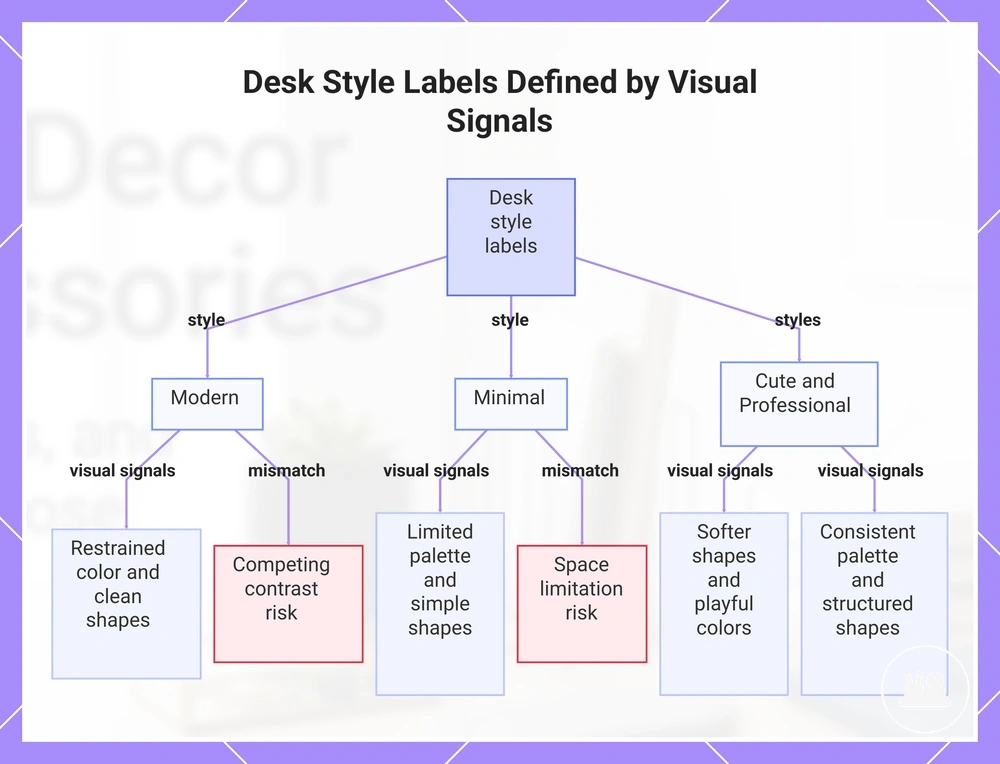
Modern, minimal, cute, and professional are style labels defined by visual signals such as color palette, shape, visual density, and accent level. These labels help describe a desk impression, but style labels should support the desk's function rather than replace functional criteria.
- Modern: Often uses a restrained color palette, clean shapes, moderate visual density, and a controlled accent level. This desk impression may suit workspaces where visual consistency is preferred, while a mismatch risk can arise when contrasting elements compete for attention.
- Minimal: Uses a limited color palette, simple shape choices, low visual density, and few accents. A mismatch risk may appear when visual reduction limits space for necessary desk items.
- Cute: Often features softer shapes, playful colors, higher accent levels, and decorative details. This desk impression may suit certain workspaces when decorative elements remain compatible with practical use.
- Professional: Typically relies on a consistent color palette, structured shapes, balanced visual density, and restrained accents. A mismatch risk may occur when decorative elements reduce cohesion or compete with the desk role.
This chart breaks down four desk style labels by their defining visual signals, with mismatch risks for Modern and Minimal.
Wood, Metal, Acrylic, Ceramic, and Fabric Finishes
Wood, metal, acrylic, ceramic, and fabric finishes differ in visual weight, cleaning sensitivity, and how they coordinate with a desk surface and nearby hardware. The table below compares each finish by visual effect, care considerations, and typical desk fit. Perceived quality, durability, and long-term appearance may vary depending on use conditions, finish treatment, and maintenance habits, while mixed-material setups often benefit when the finish complements existing desk surface characteristics and hardware rather than competing with them.
| Finish | Visual effect | Cleaning sensitivity | Typical desk fit |
|---|---|---|---|
| Wood | Adds warmth and moderate visual weight | May require attention to surface condition depending on use | Often coordinates with natural desk surfaces or warm-toned hardware |
| Metal | Creates a structured and defined visual effect | Cleaning needs may vary by finish and surface exposure | Often fits modern or professional setups with coordinated hardware |
| Acrylic | Provides a lighter visual presence with reduced visual weight | May show surface marks depending on handling and placement | Often suits desks where visual openness is preferred |
| Ceramic | Adds a solid visual accent and distinct finish character | Cleaning sensitivity depends on finish and use conditions | Often works as a contrasting element within coordinated setups |
| Fabric | Introduces texture and a softer visual effect | May require additional care when exposed to dust or spills | Often fits setups that emphasize texture and visual balance |
Desk Size, Workspace Use, and Placement Constraints
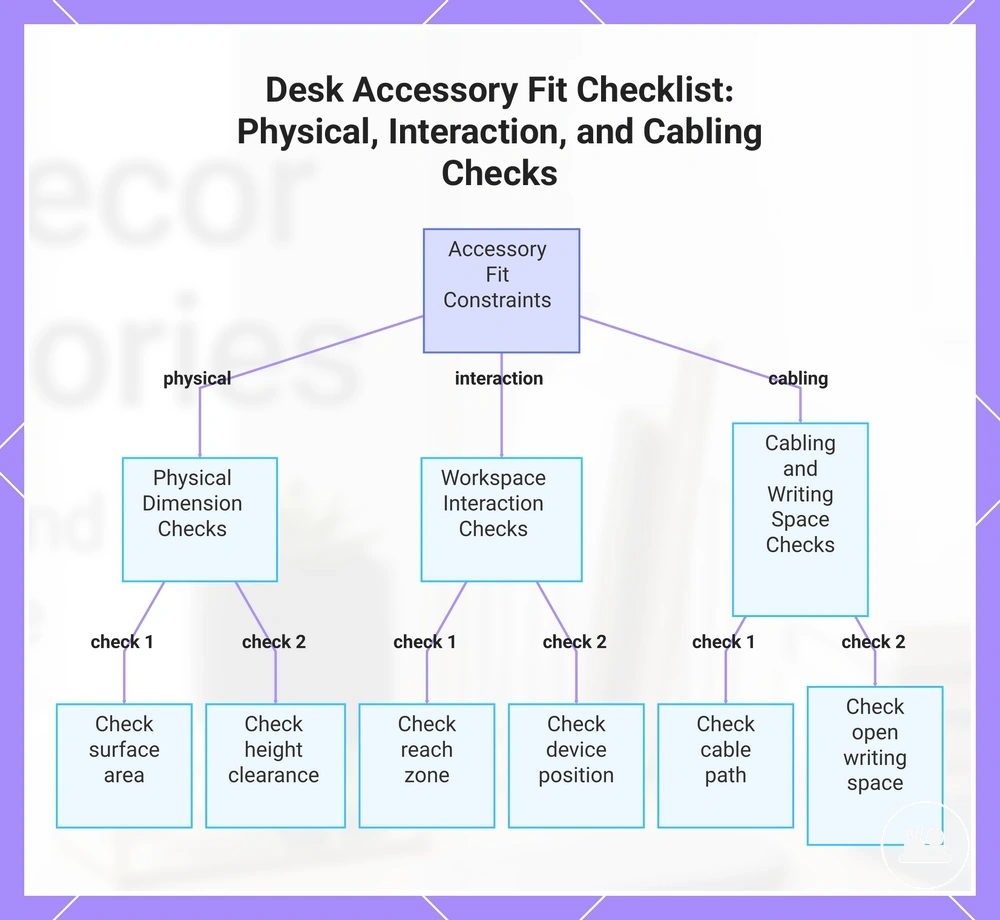
Accessory fit depends on desk size, workspace use, and placement constraints rather than the accessory alone. Surface area, footprint, height, reach zone, device position, cable path, and access need all influence whether an accessory supports the workspace or contributes to clutter.
Physical fit and usage fit are related but separate conditions. An accessory may fit within the available surface area yet still interfere with daily tasks if it blocks a reach zone, reduces open writing space, complicates a cable path, or conflicts with an existing device position.
Compact desks, shared desks, and home-office work areas can change placement outcomes because desk shape, monitor layout, and daily tasks vary. Readers comparing desk decor accessories for small desks should evaluate placement constraints as a compatibility condition rather than assuming a smaller accessory automatically provides a better fit. Use this checklist to verify surface area, reach zones, device positions, cable path, and open writing space.
- Surface area: Confirm that the accessory leaves enough usable desk surface for regular tasks.
- Footprint: Check whether the occupied space matches the available desk size without crowding nearby items.
- Height: Verify that the accessory does not create viewing, access, or placement conflicts.
- Reach zone: Ensure frequently used items remain easy to access.
- Device position: Review how the accessory interacts with monitors, laptops, or other devices.
- Cable path: Check whether cables can be routed without creating unnecessary obstruction.
- Open writing space: Confirm that enough clear workspace remains for the intended use.
This chart shows the three categories of placement constraints to verify when evaluating accessory fit for a desk workspace: physical dimensions, workspace interaction, and cabling and writing space.
Small Desk Surface Limits
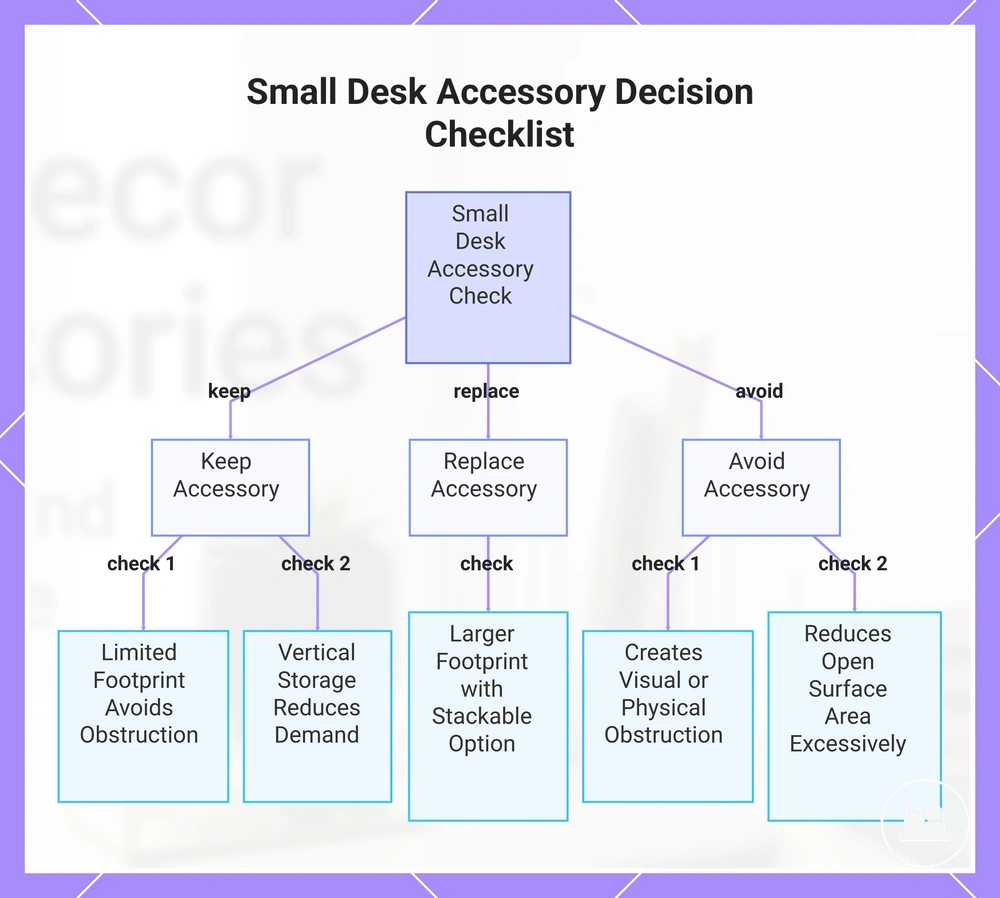
A small desk surface limit depends on preserving open surface area while controlling footprint and obstruction risk. A compact accessory may fit on a small desk, but usefulness depends on whether the accessory supports vertical storage or stackability without reducing usable space. Compact does not always mean useful if the item creates visual or physical obstruction. Use the checklist below to verify footprint, vertical storage potential, and minimum open surface area before deciding whether to keep, replace, or avoid an accessory.
- Keep: A compact accessory with a limited footprint that preserves open surface area and avoids obstruction.
- Keep: An accessory that uses vertical storage or stackability to reduce surface demand on a small desk.
- Replace: An accessory with a larger footprint when a stacked or vertically arranged option may leave more open surface area.
- Avoid: A compact accessory that creates visual or physical obstruction despite its smaller size.
- Avoid: An accessory that reduces open surface area enough to interfere with regular desk use.
This chart shows the three decision outcomes for small desk accessories and the specific conditions to check for each outcome.
Home Office and Work Desk Needs
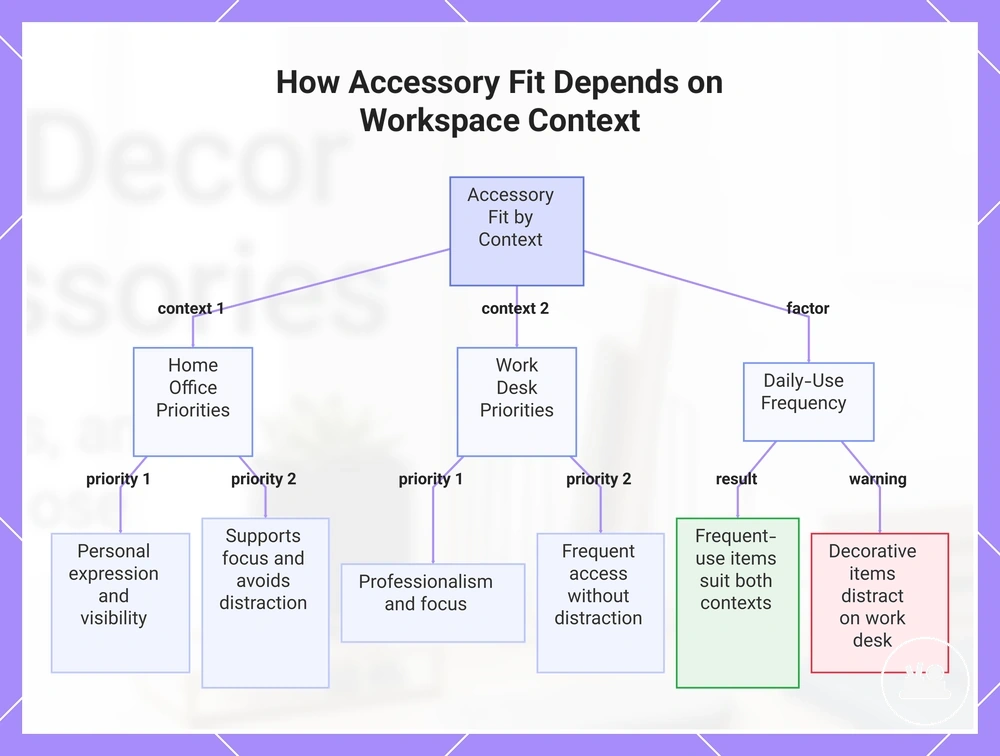
Home office and work desk contexts change accessory priorities because focus, access, professionalism, personal expression, daily-use frequency, and visibility do not always carry the same weight. Accessory fit depends on whether an item supports the primary workspace function without becoming a distraction. An accessory that supports personal expression in a home office may fit naturally when visibility and individual preference matter, while the same accessory may be unnecessary on a work desk where professionalism, focus, and frequent access are higher priorities.
Daily-use frequency often influences suitability. A frequently used organizer, stand, or tray may support access and visibility in both environments, while a decorative accessory may fit a home office when it complements focus and personal expression but may become a distraction when visibility exceeds its functional value. The same accessory can therefore be suitable in one context and less useful in another depending on how the work desk or home office is used each day.
This chart shows how accessory suitability changes between a home office and a work desk based on priorities and daily-use frequency.
How to Choose Desk Decor Accessories
Choosing desk decor accessories depends on function, desk size, visual fit, and clutter impact. The selection decision should evaluate whether an accessory adds practical value, fits the available space, and supports long-term desk clarity without creating unnecessary visual or physical distraction.
Before comparing options, verify the conditions below. This mini-checklist applies a selection criterion to each accessory so the decision can move toward buy, skip, or compare outcomes based on usefulness, compatibility, and visual fit.
- Function: Buy when the accessory supports a recurring use; skip when the purpose is unclear.
- Fit: Compare options when desk size limits affect placement or compatibility.
- Material or finish: Compare when appearance or maintenance expectations differ.
- Style consistency: Buy when visual fit supports the surrounding desk environment; skip when the accessory disrupts cohesion.
- Clutter risk: Skip when the accessory increases clutter impact or obstruction.
- Value: Compare when multiple accessories satisfy the same function.
- Compatibility: Buy only when the accessory aligns with the intended desk use and layout.
For readers who want a deeper evaluation framework, how to choose desk decor accessories provides a more focused transition into selection variables. The most useful decision signals remain usefulness, compatibility, style consistency, and the ability to preserve desk clarity over time.
An accessory is usually worth comparing when its function, desk size fit, visual fit, and clutter impact support the intended workspace. If a selection criterion remains weak, skipping the accessory may provide better value than adding an item with limited daily usefulness.
The products below are useful examples for comparing available options. Before buying, check that the compatibility criteria, key features, and product details match your needs.
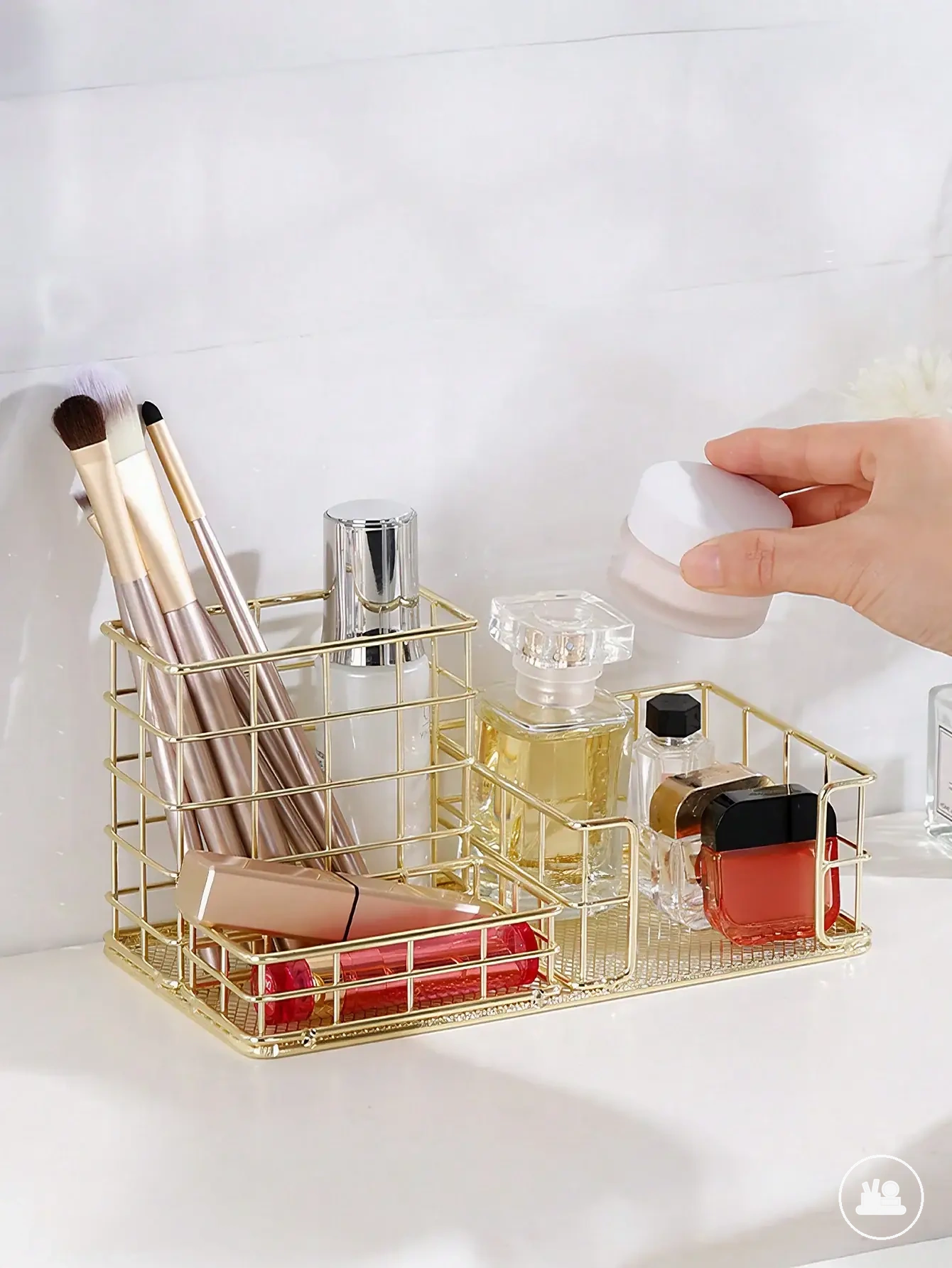
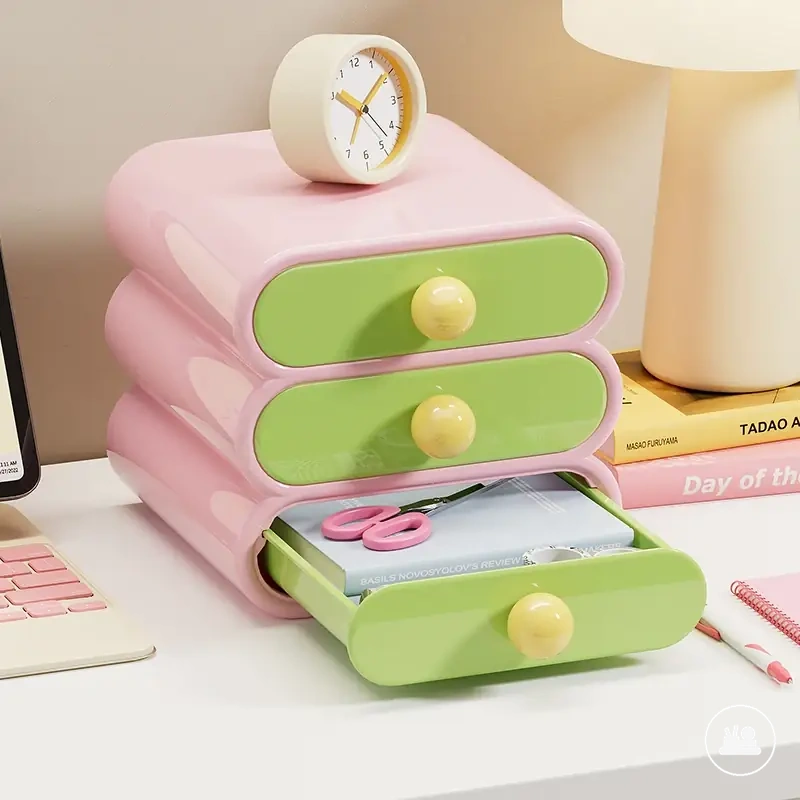

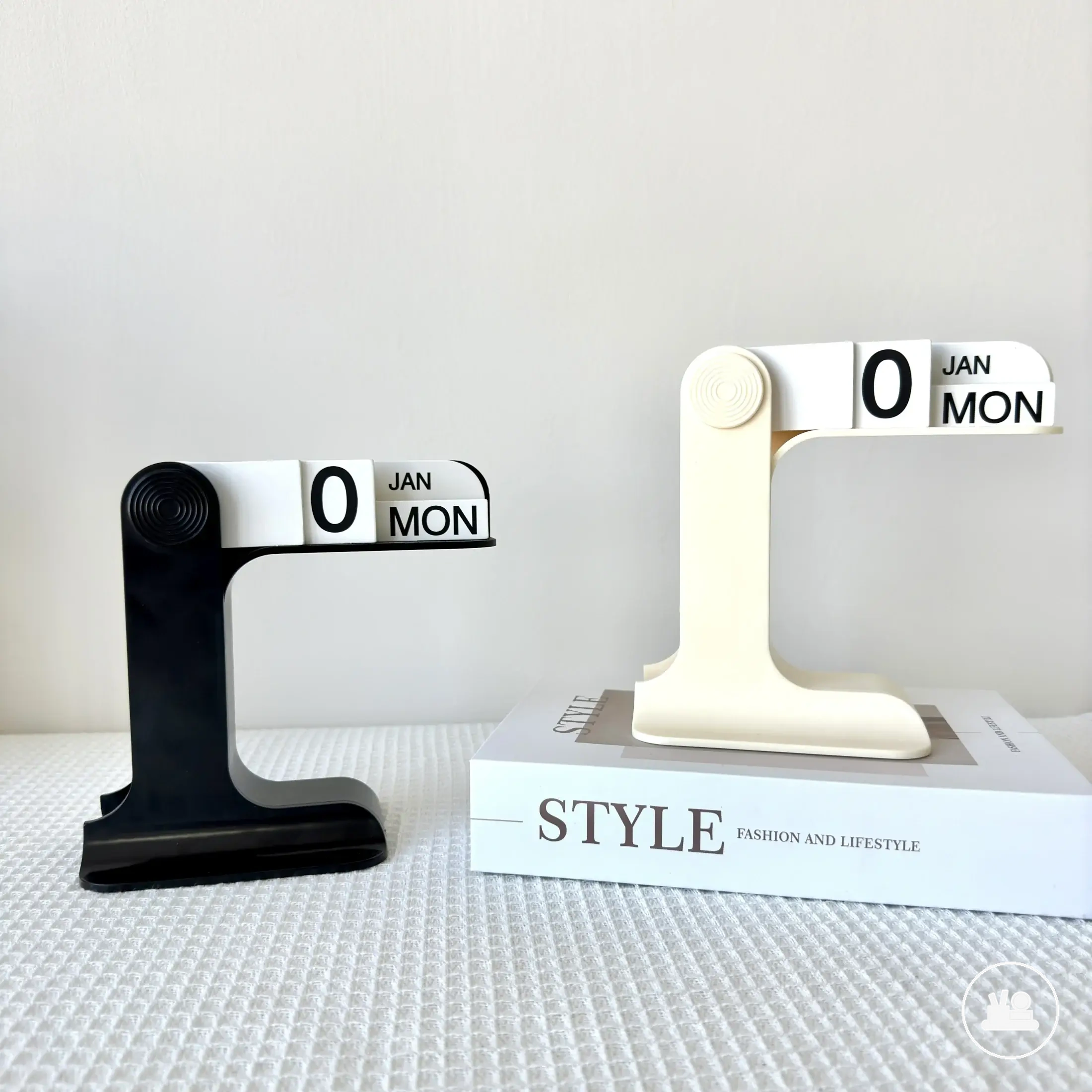

This chart organizes the desk decor accessory selection decision into three outcomes: buy, skip, or compare, based on function, compatibility, clutter, fit, and material criteria.
Match Function Before Decoration
Matching function before decoration depends on checking the primary function first and assigning priority level according to the daily-use condition. An accessory that supports storage, lighting, device placement, or surface organization should receive higher priority when it contributes to regular workspace use, helping prevent attractive but low-use accessories from weakening the workspace.
The function-before-decoration criterion does not remove decorative value; it places decoration after the primary function is verified. A storage tray for surface organization, a lamp for lighting, or a stand for device placement may justify a higher priority level because each supports a clear daily-use condition. A decorative item may also be justified when it supports grouping, visibility, or focus, provided its decorative role complements workspace function rather than competing with it.
Keep Color, Finish, and Shape Consistent
Color, finish, shape, and texture consistency works as a visual-selection criterion because repeated visual cues help a desk setup feel cohesive instead of mismatched. Mixing materials can still work when one visual cue, such as a shared color family, similar finish temperature, related shape language, or controlled visual density, keeps the accessories connected without forcing one correct style. Use the checklist below to check color families, finish temperature, shape language, and visual density before adding another accessory.
- Color family: Choose accessories that share or support an existing color cue in the desk setup.
- Finish temperature: Compare warm, cool, matte, or reflective finishes so the result feels cohesive rather than mismatched.
- Shape language: Repeat rounded, angular, slim, or block-like shapes when the setup needs stronger visual consistency.
- Visual density: Check whether added texture, color, or shape increases visual density beyond what the workspace can comfortably support.
Prioritize Items That Reduce Clutter
The clutter-reduction criterion depends on whether an accessory earns desk space by helping reduce clutter instead of creating obstruction. An accessory should provide a clear clutter-control benefit under the current desk condition, while items with limited practical value may occupy desk space without contributing to a clearer surface.
- Storage: Choose storage when frequently used items need a dedicated place to reduce clutter on the desk surface.
- Grouping: Use grouping when related items are scattered and a shared location may create a clearer surface with less visual distraction.
- Vertical placement: Consider vertical placement when limited desk space makes upward organization more useful than spreading items across the surface.
- Removal of low-use items: Remove low-use items when they add obstruction without supporting regular tasks; an organizer can also become clutter if it stores items that do not need to remain within reach.
Budget, Sets, and Value Signals
Budget decisions depend on usefulness and redundancy more than the number of accessories included. Value signals are stronger when an accessory or set supports a clear purpose, matches expected use, and avoids overlap that creates a waste decision later.
The table below compares single items, sets, and upgrade pieces through usefulness, material confidence, included pieces, and redundancy risk. The goal is to evaluate the price role of each option without assuming that more pieces automatically create better value.
| Option | Value signal | Redundancy risk | Better when |
|---|---|---|---|
| Single item | Usefulness is easier to evaluate | Lower when the need is specific | A specific need already exists |
| Set | Included pieces support a shared purpose | Higher if pieces overlap in function | Multiple accessories are needed together |
| Upgrade piece | Material confidence or improved utility | Depends on replacement overlap | An existing accessory no longer fits the setup |
A useful criteria check appears in desk decor accessories by budget and value, where value signals are evaluated through usefulness, included pieces, material confidence, and overlap rather than item count alone. A set may be efficient when most included pieces serve a regular purpose, while individual accessories are often safer when needs are uncertain or redundancy risk is higher.
The strongest value signal comes from matching the price role to actual use rather than collecting accessories with overlapping functions. A waste decision becomes more likely when included pieces duplicate existing items, while value can improve when usefulness, material confidence, and lower redundancy risk remain aligned with the intended desk setup.
The products below are useful examples for comparing available options. Before buying, check that the compatibility criteria, key features, and product details match your needs.
Using Desk Decor Accessories Without Clutter
Using desk decor accessories without clutter depends on controlling placement, quantity, frequency of use, and visual weight so the desk remains usable and visually calm. A clean surface is more likely when each accessory has a clear purpose and occupies desk space that supports regular activity rather than creating obstruction.
Placement and quantity should reflect how the desk is used each day. Frequently used accessories usually benefit from accessible placement, while low-use accessories may create unnecessary distraction when they occupy primary work areas. For readers focused on arranging desk decor accessories, placement decisions are most effective when they support both visibility and workspace function.
Clutter-free use depends on task type, desk size, and how often items are actually used. The transition from decorative value to obstruction can occur when visual weight, quantity, or placement exceed what the workspace can comfortably support. Readers exploring desk decor accessories without clutter should treat clutter control as an ongoing use condition rather than a fixed arrangement outcome.
Use the checklist below to organize placement, spacing, and removal decisions without relying on fixed rules.
- Placement: Keep frequently used accessories in locations that support regular access.
- Spacing: Leave enough space between items to help preserve a clean surface and reduce visual crowding.
- Quantity: Limit the number of accessories when additional items add more visual weight than usefulness.
- Reach: Reserve the easiest-to-reach areas for items used most often.
- Visual weight: Balance larger or more noticeable accessories so they do not dominate the desk.
- Removal of low-use items: Remove accessories that are rarely used when they contribute more obstruction than value.
This chart shows the key checklist categories and actions for keeping desk decor accessories clutter-free, covering placement, quantity, and removal decisions.